
QC Checker: How to Review Photos and Decide Before Shipping
Use a QC checker worksheet to separate a confirmed defect from an unclear photo, request the right evidence, and record a shipping decision.
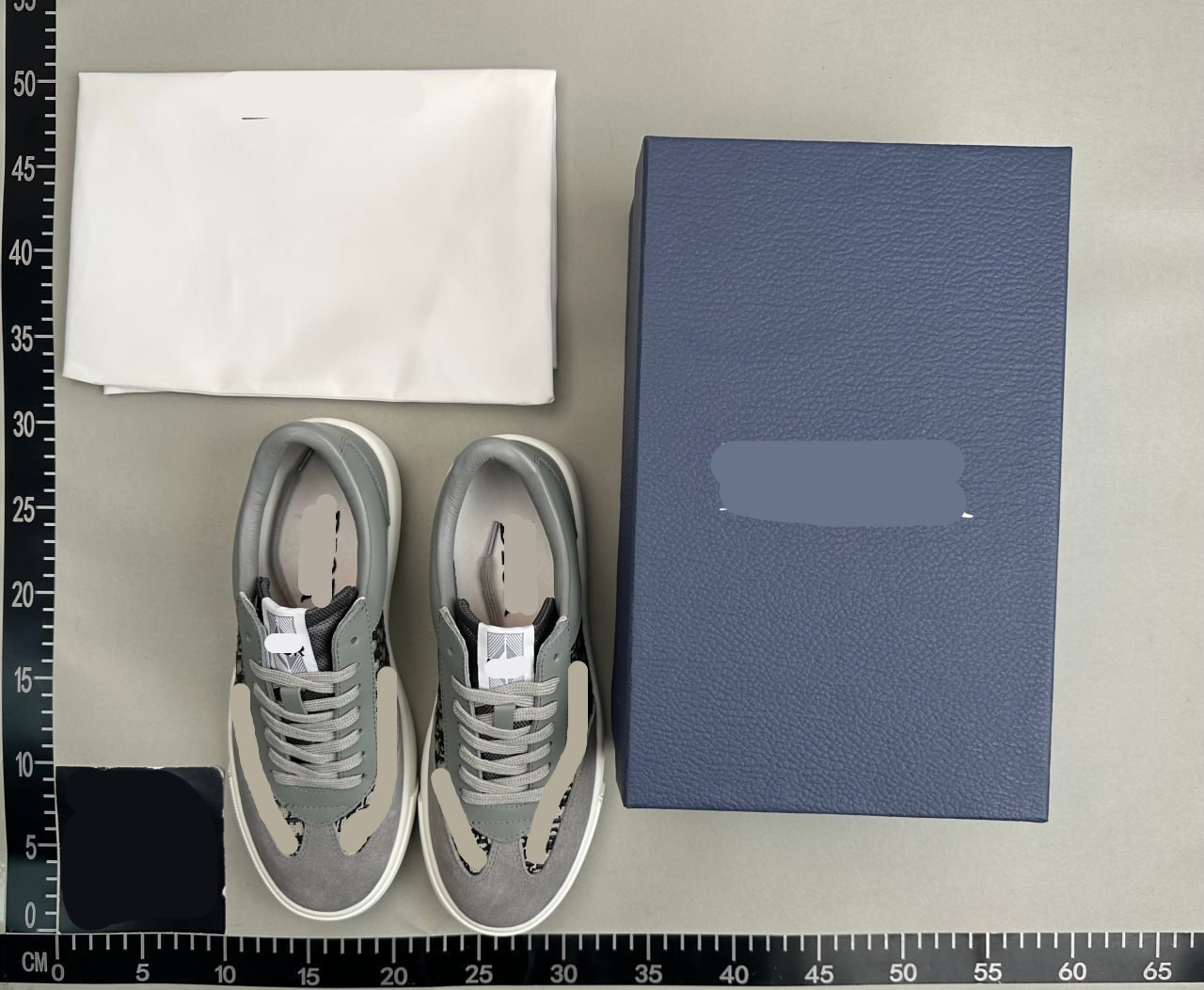
Use a QC checker worksheet to separate a confirmed defect from an unclear photo, request the right evidence, and record a shipping decision.
A QC finder helps locate photos; a QC check evaluates a particular item against an order and a set of requirements. Searching for a QC checker does not turn historical photos into an inspection of your parcel. Start by identifying whose item is pictured and which decision you need to make.
This guide is a manual review worksheet, not an automated inspection tool. It helps you write a useful conclusion: what is visible, what remains uncertain, and whether to accept, request another check, or ask about an exchange.
1. Set the requirements before judging the pictures
Open the order confirmation and the listing captured when you bought the item. Write down the selected size, colour, model and included accessories. Then list the few requirements that would change your decision. A jacket might need a specific measured width and a working zipper; a pair of shoes might need matching size labels and an undamaged sole.
Distinguish a requirement from a preference. If you did not establish an acceptable measurement range, comparing a photo to an imagined perfect product will produce inconsistent decisions. Use a garment or shoe you already find comfortable as a reference, measured with the same method. A numerical example in a guide is not a universal tolerance.
2. Confirm that the evidence belongs to this order
Check the warehouse order reference privately, the selected option and the visible labels. Keep historical QC records in a separate folder. A public gallery can reveal details worth examining, but it does not identify the unit now waiting for dispatch. If the record lacks an order reference, ask the agent to confirm the association before interpreting the images.
Do not combine a good front view of one unit with the good rear view of another and call the result a complete inspection. Every decision-critical image should be traceable to the same current item. Remove names, addresses and order references before asking a public community for help.
3. Use four evidence states
A binary pass or fail hides important uncertainty. Assign one of four states to each requirement and keep the observation separate from your interpretation. “The end of the ruler is hidden” describes evidence; “the item is too short” is an unsupported conclusion until a usable measurement arrives.
| State | What it means | Next action |
|---|---|---|
| Confirmed match | The current evidence answers the requirement | Record the image and observation |
| Confirmed mismatch | A visible, repeatable difference crosses your requirement | Ask about correction, exchange or return |
| Unclear | Angle, lighting or missing context prevents a conclusion | Request one targeted check |
| Not assessable from photos | The property requires a test or later use | Record the remaining risk |
4. Work through an example without inventing certainty
Illustrative case: you ordered a blue jacket in size M. The warehouse label says M, but the chest-width ruler starts outside the frame. The first checkpoint is a confirmed label match. The measurement checkpoint is unclear, even if the visible number looks reassuring. Ask for a flat measurement from one armpit seam to the other, with zero and the endpoint visible.
A second image then shows a measurement outside the range you recorded from your own jacket. Save both photos and the reference method. You now have a specific sizing question for the agent, rather than a vague claim that the jacket looks wrong. If the two garments use different measurement points, resolve that difference before deciding.
5. Choose a next action and a deadline
Accept the visible condition only when the relevant checks are resolved to your satisfaction. If a decisive detail is unclear, request another photo and ask the agent to hold dispatch where that option is available. If a mismatch is confirmed, contact the party handling the order about the available remedy and its deadline.
Do not assume that a forum vote or an automated score changes a seller’s return rules. Confirm the actual response in your order account. When the service cannot test a property, such as long-term wear, write it as an unresolved risk rather than repeatedly requesting pictures that cannot answer it.
6. Save a short, reproducible review
Keep the review with the original images rather than only edited crops. A concise record makes a later discussion easier and prevents a decision from being remembered as a guarantee of authenticity, material composition or future durability. FindQCS does not provide those certifications.
- Item: source link, option and private order reference.
- Requirement: the size, feature or condition that matters.
- Evidence: image filename, date, angle and measurement method.
- Finding: observed match, observed mismatch, unclear or not assessable.
- Action: accept, request a specific check, or contact the agent; include the deadline.
Source documentation
Sources describe the services referenced. Examples and worksheets are independent editorial guidance; check current details with the provider.
- FindQC: search and QC documentation Reference for the service’s search methods and QC scope. The examples and worksheets in this guide are independent editorial guidance.